header Dataleap image

Dataleap

AI agents that prep your calls, keep Salesloft up to date, and start work the moment a call is logged or a task is completed.

Create your first agent Talk to us

Description

Dataleap is where teams build AI agents that do real work in the apps they already use. Describe the job in plain language, and the agent runs it on demand, on a schedule, or the moment something happens in a connected app.

With the Salesloft integration, agents work in Salesloft as the user who connected it, with that user's permissions:
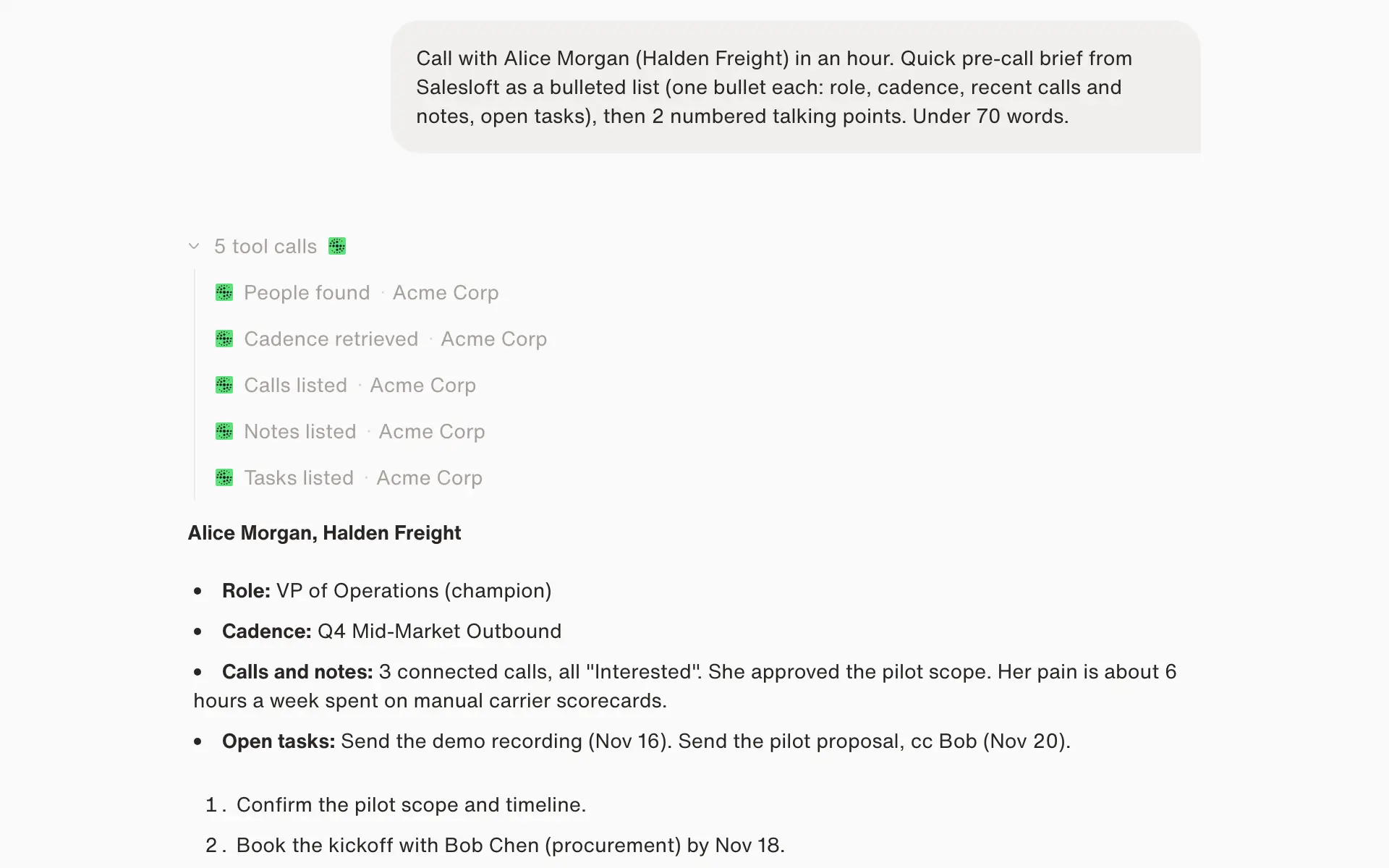
  • Prep every call. Pull a person's or account's details, cadence status, recent calls, emails, notes, and open tasks into a short brief.
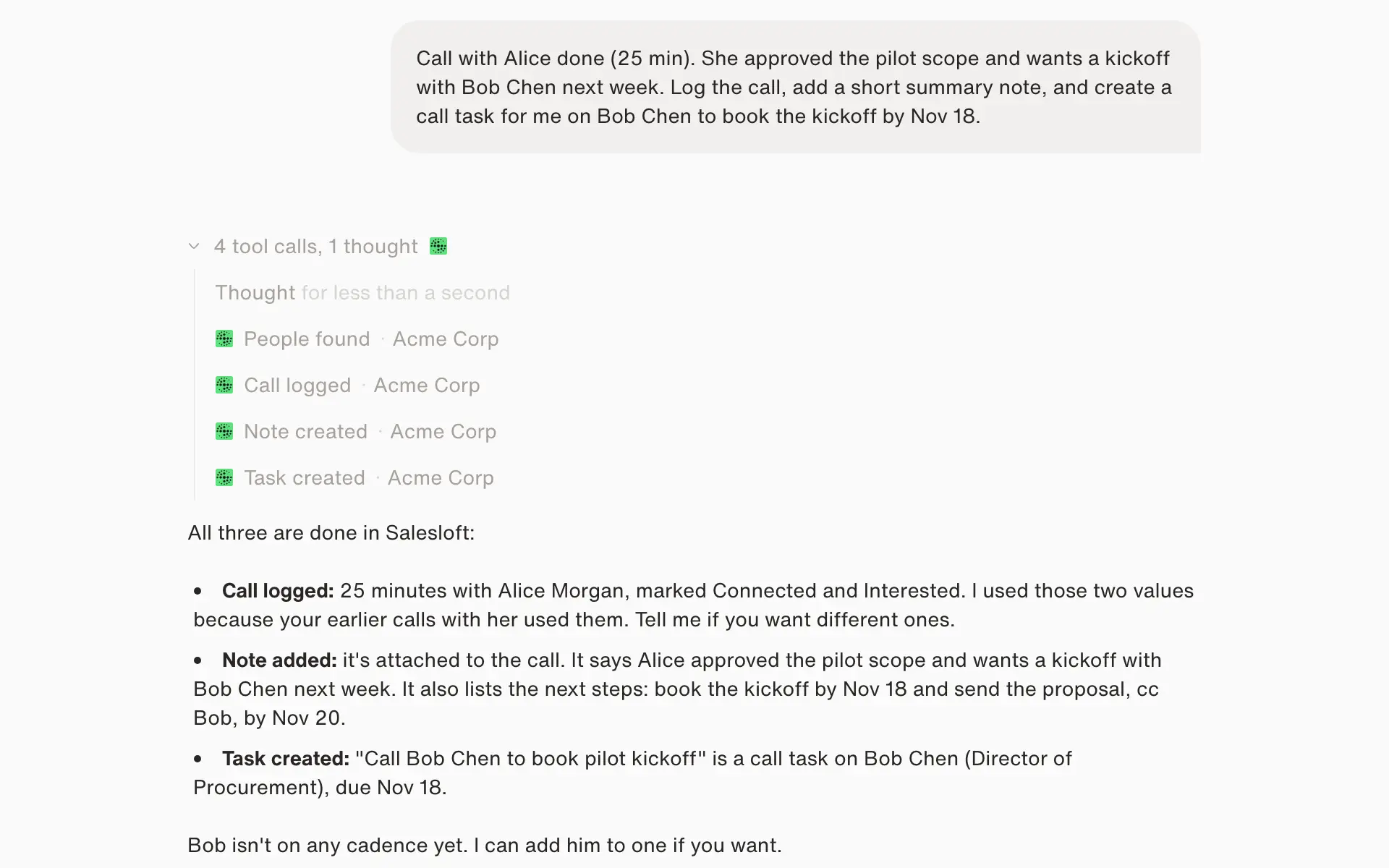
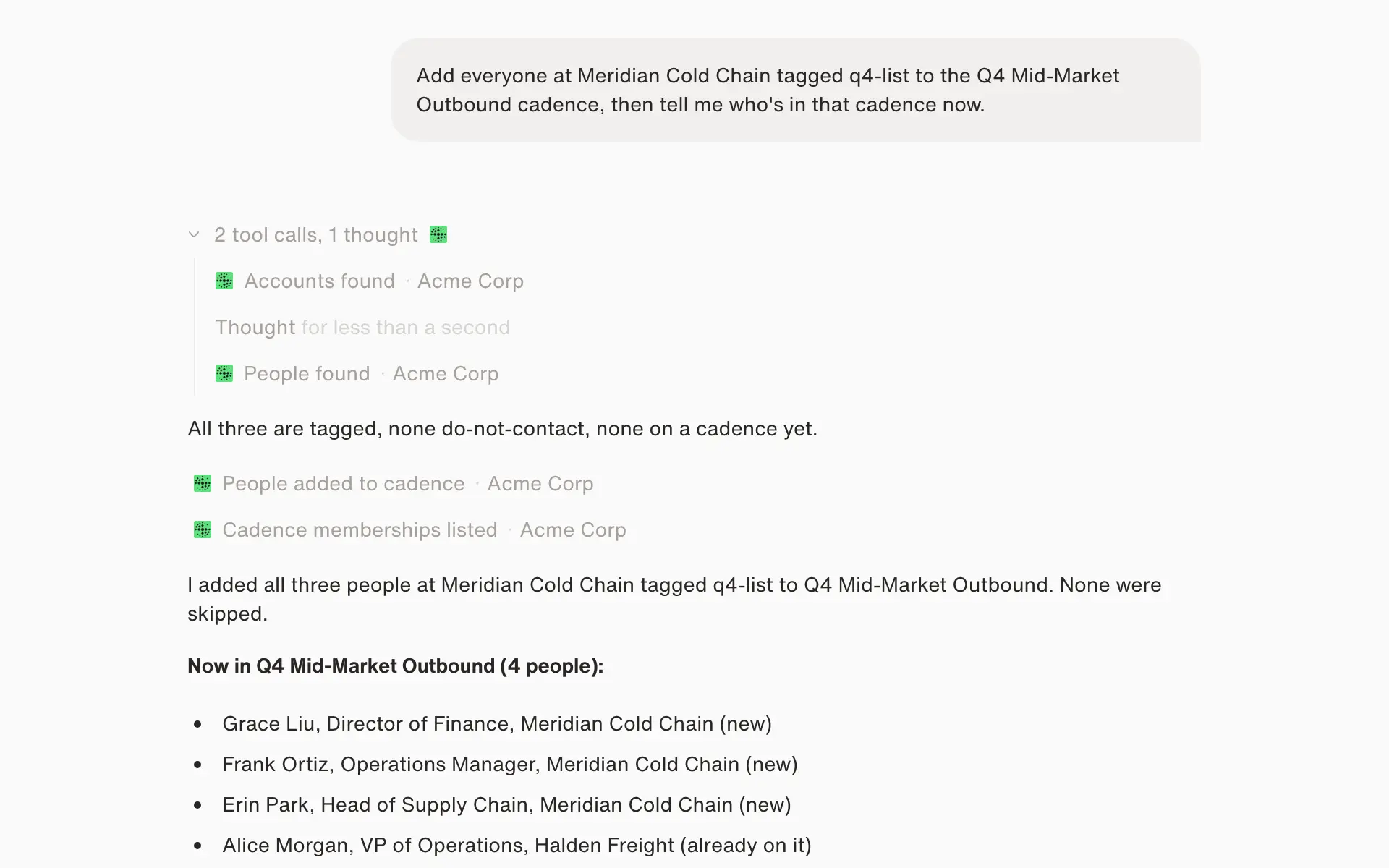
  • Follow up without the busywork. Log calls, write notes, create and complete tasks, and add people to or remove them from cadences.
  • Keep records clean. Create or update people and accounts by email, domain, or ID without creating duplicates, and remove junk records when asked.
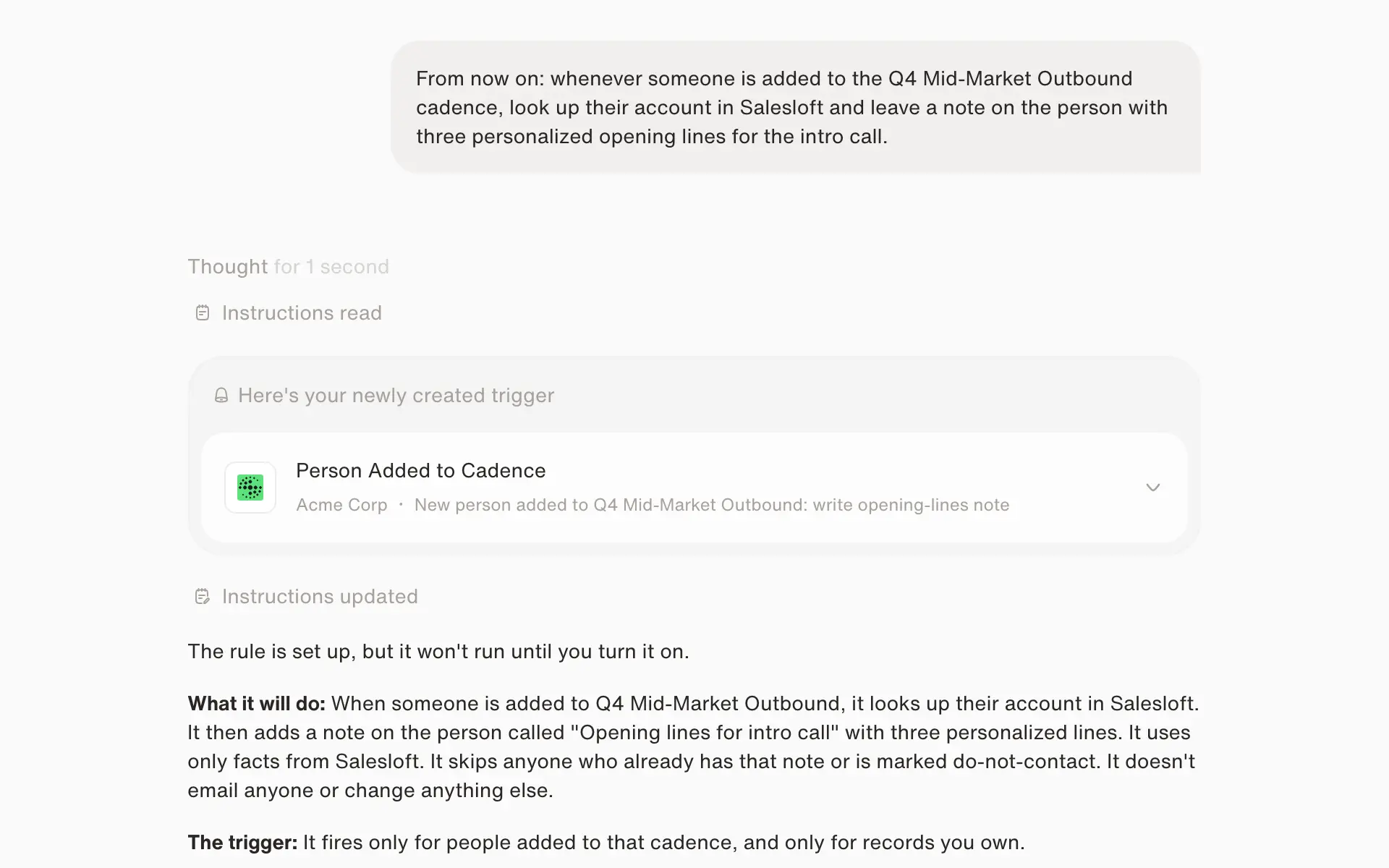
  • React in real time. Start an agent when a person or account is created or updated, a person joins a cadence, a call is logged, a note is added, or a task is created or completed.

One agent can combine Salesloft with your CRM, inbox, calendar, and Slack. For example, a call logged in Salesloft can become a follow-up task in the rep's queue and a summary posted to Slack.

Key benefits

Dataleap helps teams reduce manual revenue-operations work without adding code. Automate research, follow-up, task management, cadence updates, and data upkeep across Salesloft and connected tools. Agents respond to business events, work on schedules, or run on demand, helping teams act consistently while keeping users in control. OAuth-based access follows each user’s Salesloft permissions, while administrators control the apps and actions available to every agent.

How It Works

Start by describing the job you want completed in plain language, then connect the apps your team uses. Dataleap agents can run on demand, on a schedule, or when an event occurs in Salesloft or another connected app. The agent performs approved actions—such as updating records, managing cadence membership, creating tasks, or sending information to Slack—according to the access and permissions configured by your organization.

Features

No-code agent builder

Describe a job in plain language and Dataleap builds the agent. Run it on demand, on a schedule, or when something happens in a connected app.

Works in Salesloft as you

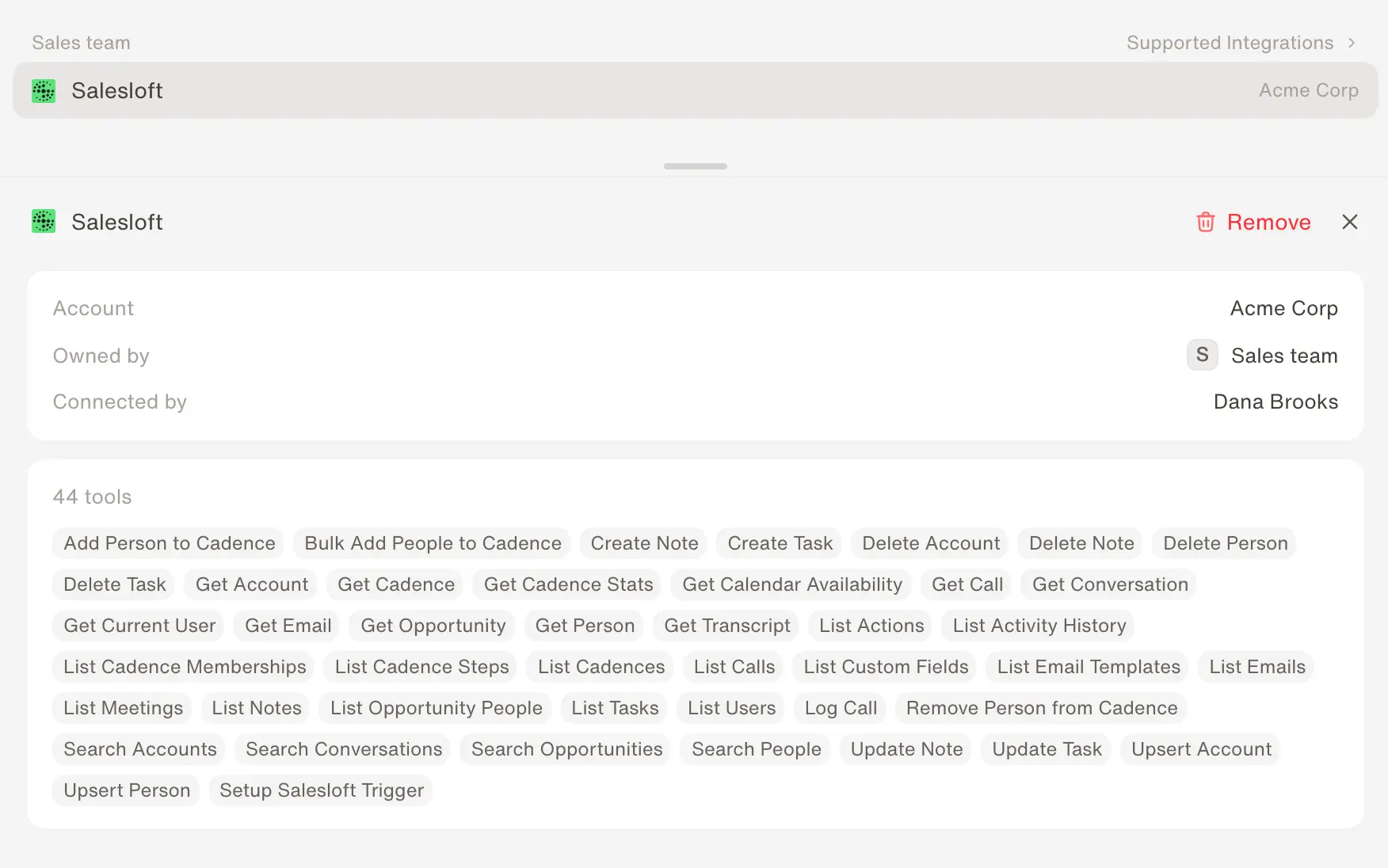
Search and update people and accounts, manage cadence memberships, log calls, and create, complete, and delete tasks and notes. Agents act with the connected user's Salesloft permissions.

Starts on Salesloft events

Start an agent when a person or account changes, a person joins a cadence, a call is logged, a note is added, or a task is created or completed. Filters narrow events to your own records, chosen cadences or accounts, tags, or task types.

One agent across your stack

Combine Salesloft with your CRM, inbox, calendar, Slack, and other connected apps, so one agent can carry a task from Salesloft to wherever the work continues.

Media

Setup

Set up Dataleap by describing an agent’s job in plain language and connecting the apps it needs. For Salesloft, users authorize access through OAuth, and agents operate only on the data that user can see. Configure whether an agent runs on demand, on a schedule, or from Salesloft events such as a new reply, booked meeting, completed task, or ready transcript. Administrators control each agent’s available apps and actions, with data and agent runs kept in the organization’s chosen US or EU region.
FAQ

Dataleap is a no-code platform where sales, revenue operations, and support teams build AI agents that work across the business apps they already use. Agents can run on demand, on a schedule, or when an event occurs in a connected app.
A user connects their Salesloft login to Dataleap through OAuth. Agents then act as that user and can see and change only what that user can in Salesloft.
Agents can search, read, create, and update people and accounts; list cadences, their steps, and stats; add people to or remove them from cadences; create, update, complete, and delete tasks and notes; log and read calls; read emails and activity history; and list users and custom fields.
Yes. An agent can start when a person or account is created, updated, or deleted, a person joins or moves through a cadence, a call is logged, a note is added or removed, or a task is created, completed, or deleted. Filters limit this to your own records or to chosen cadences, accounts, tags, or task types.
Yes. For example, when a call is logged in Salesloft, an agent can write a summary note on the person and create follow-up tasks in the rep's queue.
Only when asked. Agents can delete people, accounts, tasks, and notes, and remove people from cadences. Salesloft's permissions still apply: an agent can delete only what the connected user is allowed to delete.
Yes. One agent can work across Salesloft and the other tools your team uses, such as your CRM, inbox, calendar, and Slack.

Resources

Details

Integration type: OAuth app using the Salesloft REST API v2 and webhooks
Data flow: Two-way: agents read and write Salesloft records
Salesloft objects: People, accounts, cadences, tasks, notes, calls, emails, activity history
Who can connect: Any Salesloft user; agents act with that user's permissions
Data regions: US and EU

Partner Type

Technology

Details

Integration type: OAuth app using the Salesloft REST API v2 and webhooks
Data flow: Two-way: agents read and write Salesloft records
Salesloft objects: People, accounts, cadences, tasks, notes, calls, emails, activity history
Who can connect: Any Salesloft user; agents act with that user's permissions
Data regions: US and EU

Partner Type

Technology