
LeanData Scheduling
Launch routed handoff meetings and insert booking availability using LeanData BookIt without leaving Salesloft.
Description
LeanData helps B2B enterprises fuel efficient growth by aligning marketing, sales, and customer service execution with the buyer journey. Our Intelligent GTM Orchestration platform acts as the connective tissue across the revenue lifecycle, integrating and normalizing buyer data, automating signal-driven workflows, and delivering AI-powered insights. The result is faster, cleaner execution and the ability to adapt GTM motions with agility without coding. More than 1,000 leading companies, including Anthropic, OpenAI, and Databricks and others, rely on LeanData to bridge the gap between AI-generated insights and the revenue actions that drive growth.
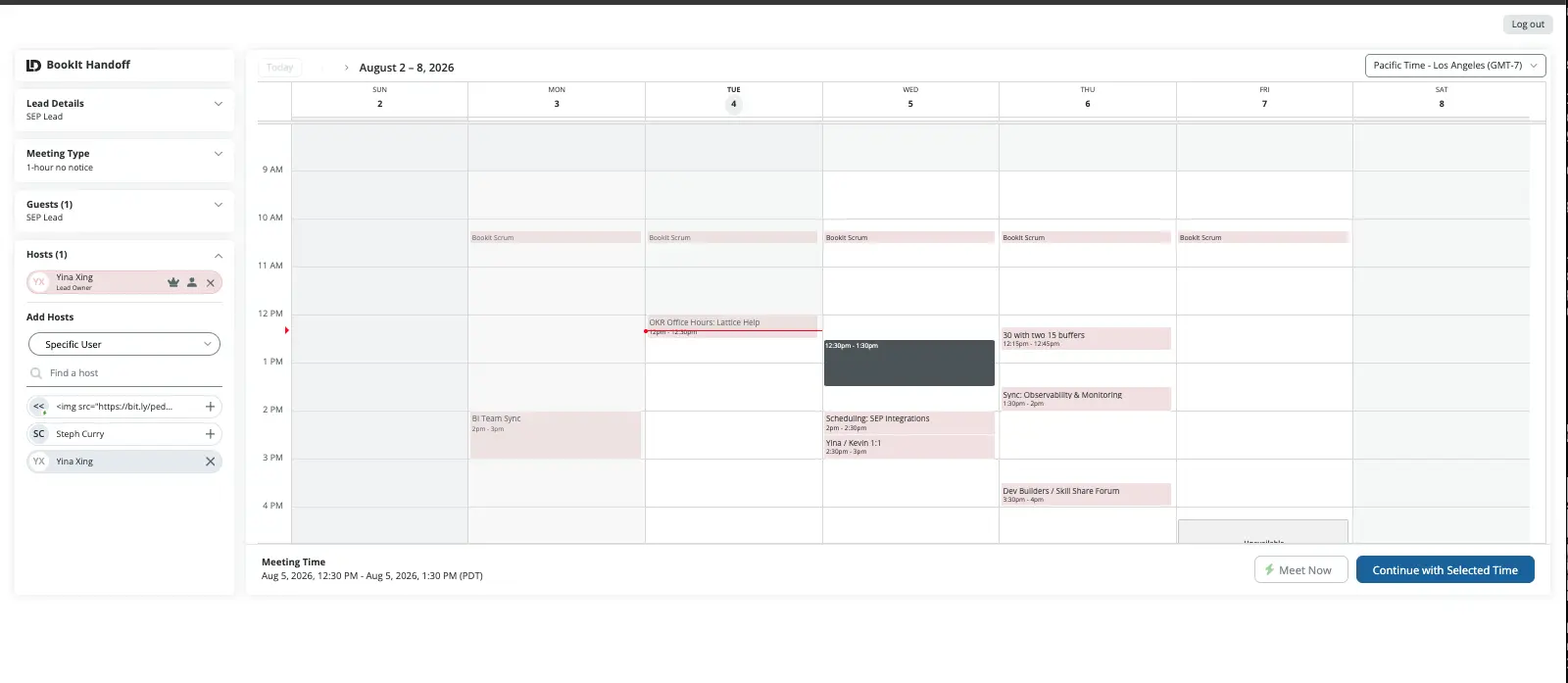
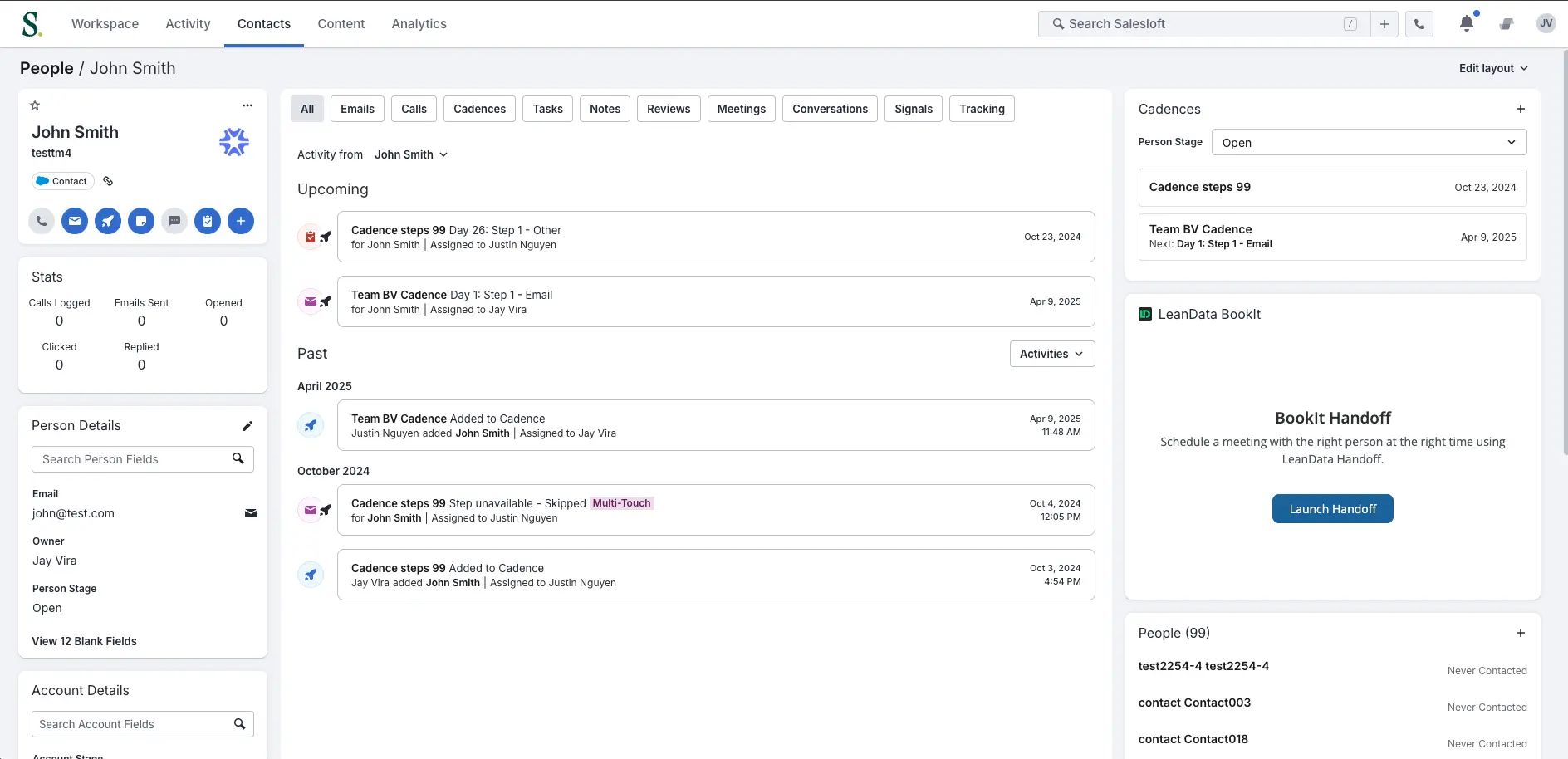
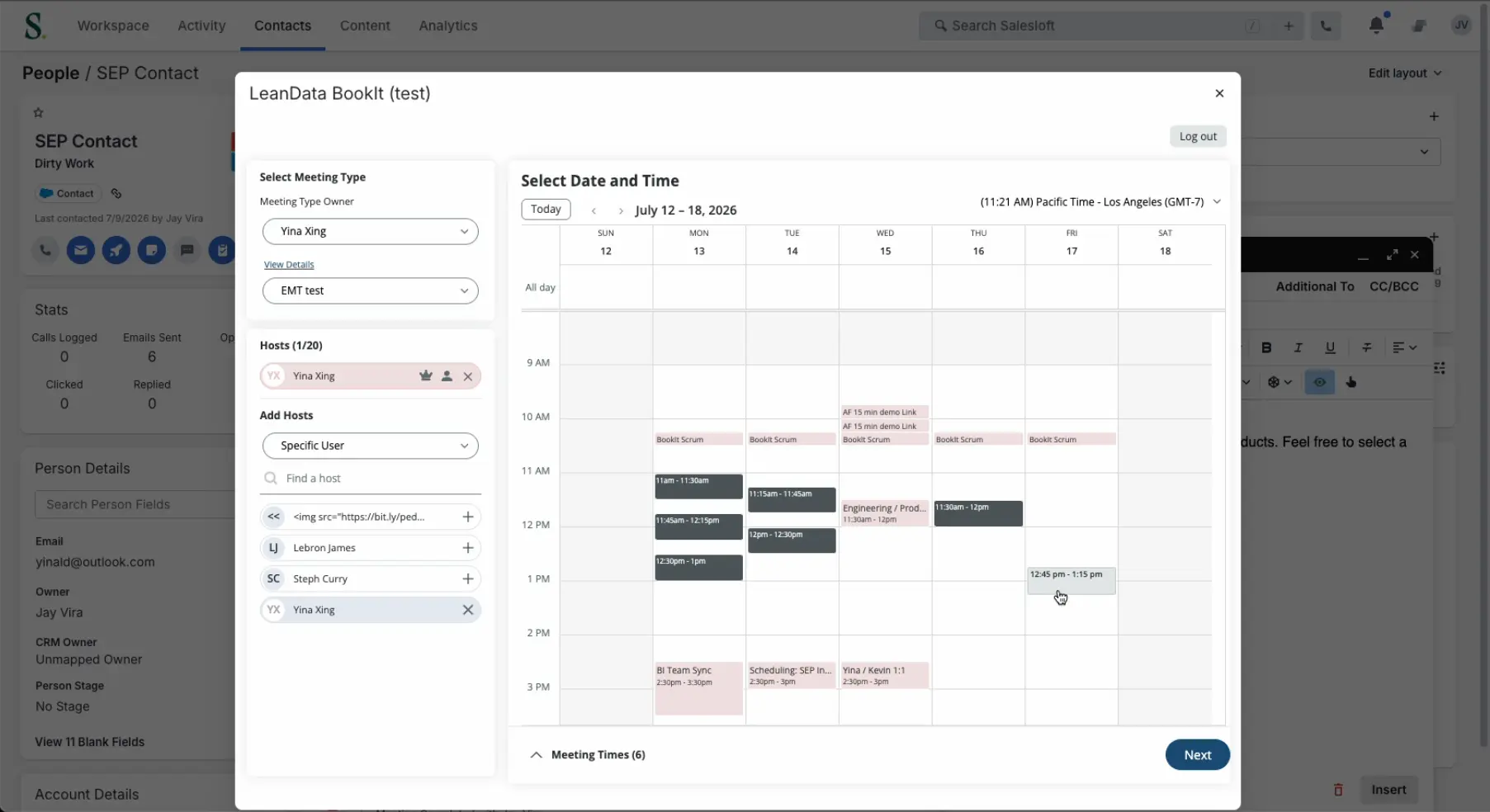
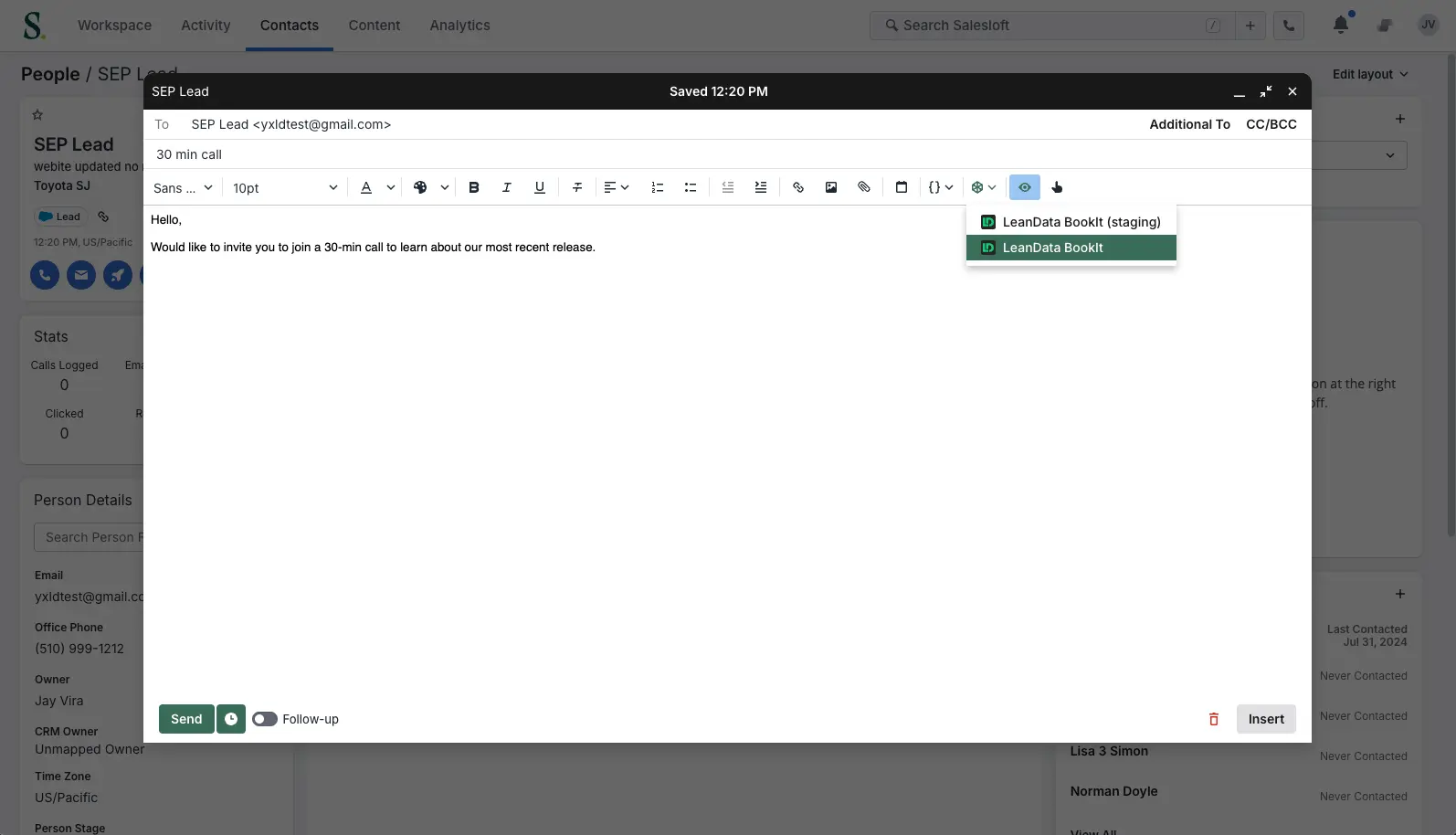
With the LeanData BookIt integration, reps launch routed handoff meetings from a Salesloft Person record and add live availability inside the email composer. LeanData resolves ownership using the rules your team already built, books with the right AE, and writes the meeting to Salesforce with attribution intact.
With the LeanData BookIt integration, reps launch routed handoff meetings from a Salesloft Person record and add live availability inside the email composer. LeanData resolves ownership using the rules your team already built, books with the right AE, and writes the meeting to Salesforce with attribution intact.
Key Benefits
Get the right AE on the calendar while the prospect is still on the phone
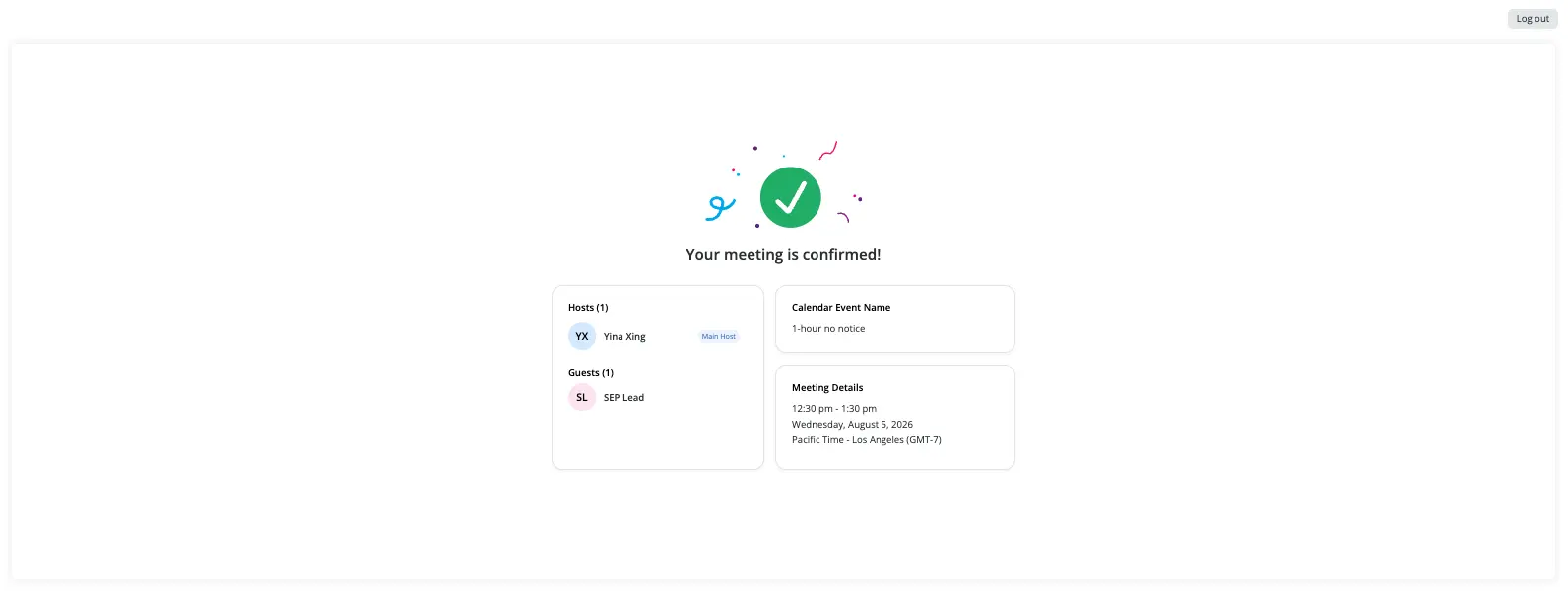
Reps launch a routed handoff meeting directly from the Salesloft Person record. Mid call, LeanData resolves who owns the account, checks that AE's live availability, books the meeting, and syncs it to Salesforce. The rep never opens another tab to find out whose meeting it is, because the answer arrives with the booking.
End the scheduling thread in one email
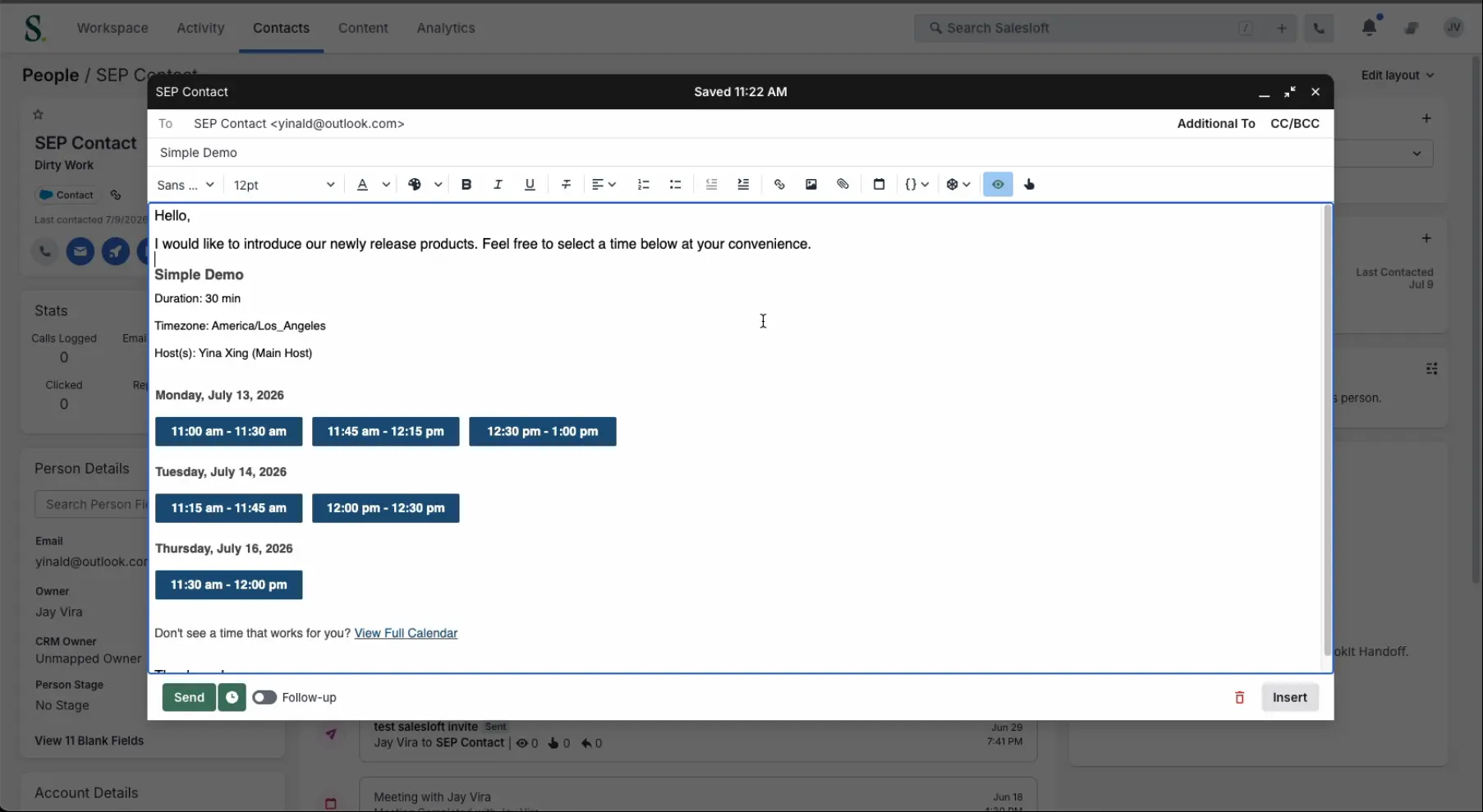
Reps insert suggested meeting times pulled from live calendars into the Salesloft email composer, in a Cadence step or a one off reply. The prospect picks a time, and the meeting routes and books itself. No browser extension and no copy and paste.
Reps insert suggested meeting times pulled from live calendars into the Salesloft email composer, in a Cadence step or a one off reply. The prospect picks a time, and the meeting routes and books itself. No browser extension and no copy and paste.
Setup
- Go to app.salesloft.com/app/settings/integrations
- Find the LeanData Scheduling integration and click Install
- Authorize the integration
- Your existing BookIt handoff, routing, and calendar settings apply automatically. Reps will see BookIt on the Person record and in the email composer.
Find step-by-step instructions for the Salesloft integration in our help center.
Features
BookIt Handoff
- Book at the moment of intent: Qualify a prospect on a cold call and get time on the right AE's calendar before they move on.
- Route meetings the way you route leads: Territory, segment, round robin capacity, and coverage rules apply automatically.
- Keep attribution and the audit trail intact: Every booking syncs to Salesforce with a full record of how it routed.
- Roll it out without rebuilding anything: Your existing BookIt Handoff and routing settings apply on install.
BookIt Invite
- Send real availability from the composer: Drop live time slots into a Cadence step or a one off reply instead of asking what works.
- Route meetings the way you route leads: Territory, segment, round robin capacity, and coverage rules apply automatically.
- Keep attribution and the audit trail intact: Every booking syncs to Salesforce with a full record of how it routed.
- Roll it out without rebuilding anything: Your existing BookIt Handoff and routing settings apply on install.
Media
FAQ
An admin installs it from the Salesloft integrations page. Your existing BookIt handoff, routing, and calendar settings apply automatically, so there is no new routing to configure.
Launch a routed handoff meeting from a Salesloft Person record, and insert live availability into the Salesloft email composer, including inside a Cadence step.