






Salesloft Labs - Talkdesk Dialer Integration
Salesloft Labs brings your Talkdesk contact center directly into the cadence. Reps click Call in Salesloft and Talkdesk places the connection — no app switching, no copy-paste. The moment the agent dispositions the call, the outcome and the recording write back to the person record, the cadence step advances, and the recording flows into Salesloft Conversations for transcription and AI coaching. Built and maintained by Salesloft's own Professional Services Engineering team, and configured per instance by an admin inside Salesloft — no code required.
Description
Salesloft cadences and Talkdesk voice, connected in both directions.
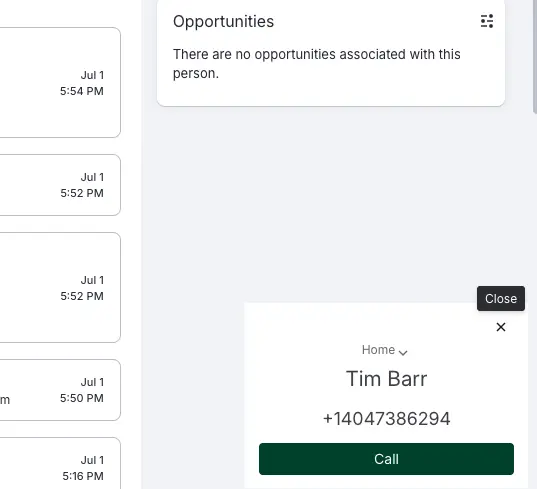
Dialing starts in Salesloft. A rep clicks Call on a cadence step. Salesloft hands the dial to Talkdesk, which rings the rep first and then places the call to the customer. The rep takes the conversation and dispositions it in Talkdesk, the way they already do — no number typed by hand, no softphone to look up, no wondering which record the call belongs to.
The results come back on their own. When the agent dispositions the call, Talkdesk notifies Salesloft and four things happen without anyone touching a keyboard:
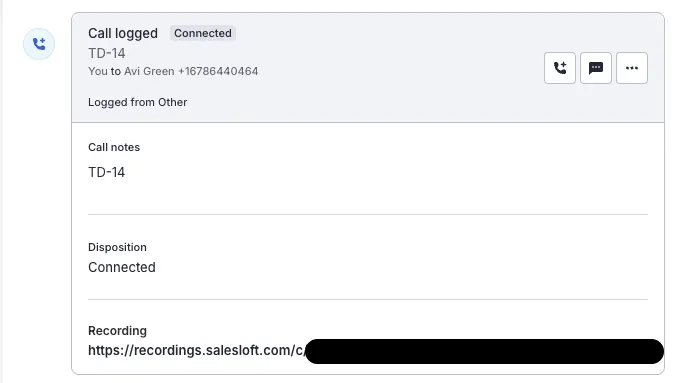
- The call is logged as a Call Data Record plus a linked call activity, attributed to the right rep and the right person record.
- The cadence step completes itself. The activity carries the originating step, so the rep returns to Salesloft with the work already done — no marking calls complete after the fact.
- The disposition lands on the record, so call outcomes are reportable in Salesloft alongside every other channel.
- The recording attaches to the record and is ingested into Salesloft Conversations for transcription, keyword search, and AI coaching.
Built by Salesloft. This is a Salesloft Labs integration, developed and maintained by Salesloft's Professional Services Engineering team.
Value. Reps still take the call in Talkdesk, but they stop doing the admin around it. No manual call logging, no re-keying dispositions, no gaps in cadence data, and no recordings stranded in a separate system — which means managers finally see every conversation in one place.
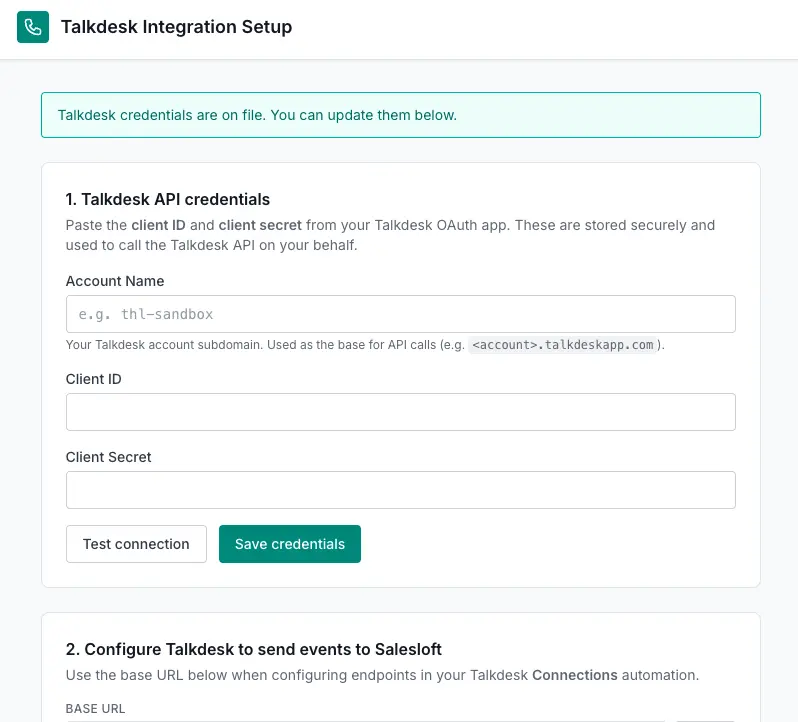
Prerequisites. A Talkdesk account with API access and Call Wrap-Up enabled, and a Talkdesk and Salesloft admin to connect the two. Configuration in app is per Salesloft/Talkdesk instance — no code, and no engineering work.
Features
Seamless Connectivity
Integrate Salesloft with Talkdesk Dialer effortlessly, enabling a unified communication platform that synchronizes call data and customer insights.
Automated Workflow Enhancement
Leverage automation to streamline call tracking and data management, reducing manual tasks and keeping your sales process efficient and error-free.
Real-Time Data Synchronization
Enjoy immediate updates and consistent information across your systems, ensuring every interaction is based on the most current customer data.
Media
FAQ
Both, and the handoff is automatic. The rep clicks Call on a Salesloft cadence step; Talkdesk rings the rep, then places the call to the customer. The conversation and the disposition happen in Talkdesk, exactly as your agents work today. What changes is everything after: the moment the call is dispositioned, it's logged back to Salesloft with the disposition, the recording, and the cadence step completed — so the rep returns to Salesloft with no admin waiting for them.
Four things, with no rep action required:
- A Call Data Record with the call detail and the recording.
- A call activity linked to that record and to the correct person, so the call appears on the person's timeline.
- The disposition from Talkdesk, mapped to your Salesloft disposition values.
- Completion of the cadence step the call originated from, so the cadence advances on its own.
Yes. The recording is attached to the Call Data Record, and Salesloft ingests it into Conversations from there — so recorded Talkdesk calls are available for transcription, keyword search, and AI coaching alongside calls made on any other channel. Recordings attach as soon as Talkdesk finishes processing the media, which is typically within a couple of minutes of hang-up rather than instantly. The logged call, disposition, and cadence step are all available immediately; only the audio waits on Talkdesk. As long as your copilot settings have the Salesloft dialer integration set up they will be ingested there too.